Establish Connection to Database with SSO
1 min
- Use the SSO User and the second password to establish a database connection.
- Verify the connection by checking the following logs:
- Active Sessions: The SSO User should be visible.
- Session Logs: The SSO User should be recorded for all activities.
- Comment Logs: Commands executed by the SSO User should appear here.
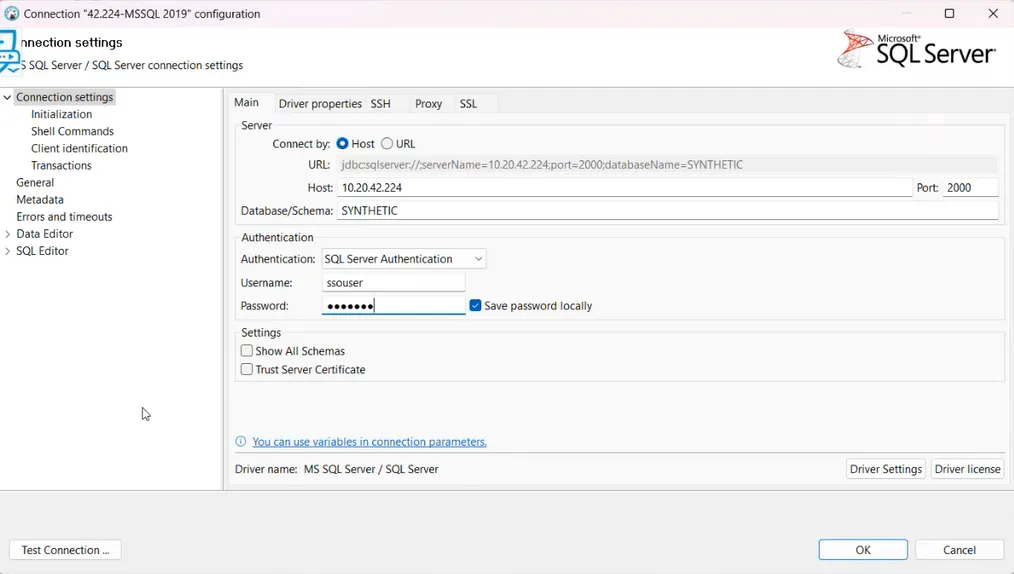
Connection with ssouser and second password that defined in Kron PAM
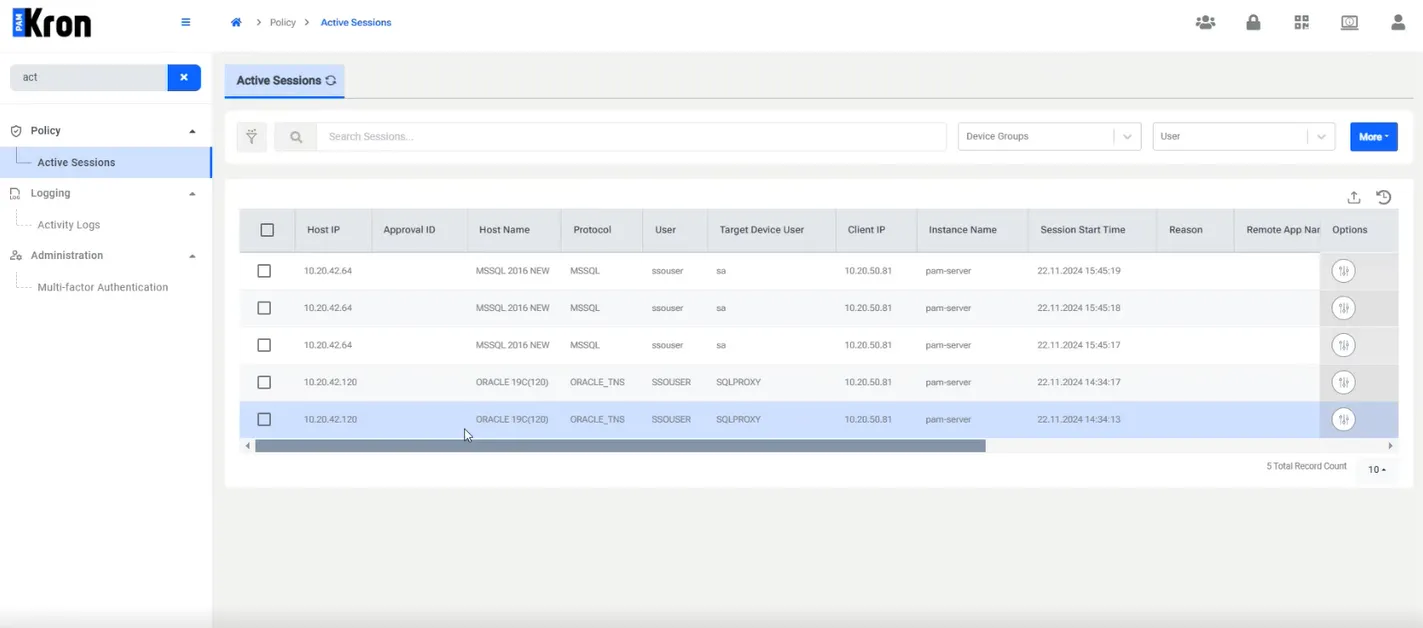
Active Session will show ssouser