Creating a Policy Realm
1 min
Policy groups are applied to device groups, which makes a Policy Realm.
To create a Policy Realm:
- Navigate to Policy Control > Session Policy.
- Open the Policy Realm tab.
- Fill in Realm Name.
- Select Policy Key Groups and Device Realm.
- Click Save.
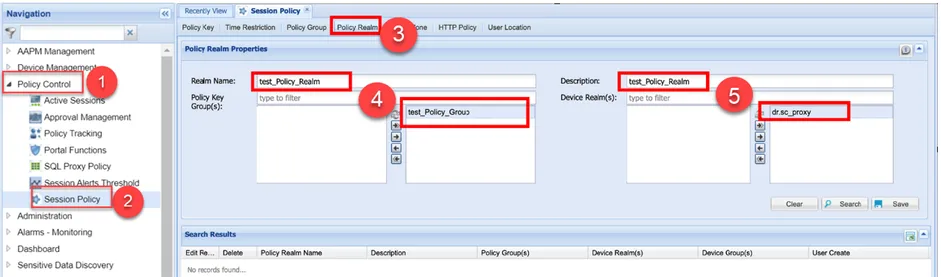
Policy Realm