Connecting Kron PAM with SSH/Telnet Proxy
2 min
- 2222 is the default SSH/Telnet Proxy Port. The system administrator can change the port number.
- If an SSH key is required to log in to the Kron PAM SSH Proxy, you must add the SSH key to the SSH Client. Depending on the admin’s configurations, you can log in with a) the password only, b) the SHH only, or c) both the SSH key and the password.
- Enter the Kron PAM IP address as the host IP address and 2222 as the connection port.
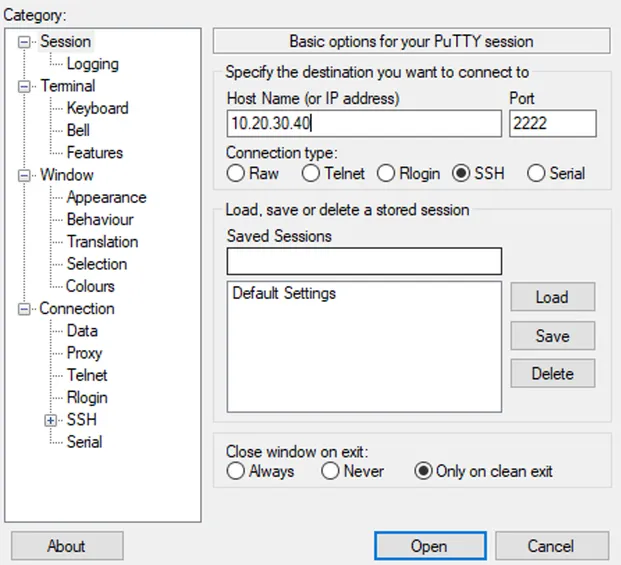
Connecting to Kron PAM SSH/Telnet Proxy
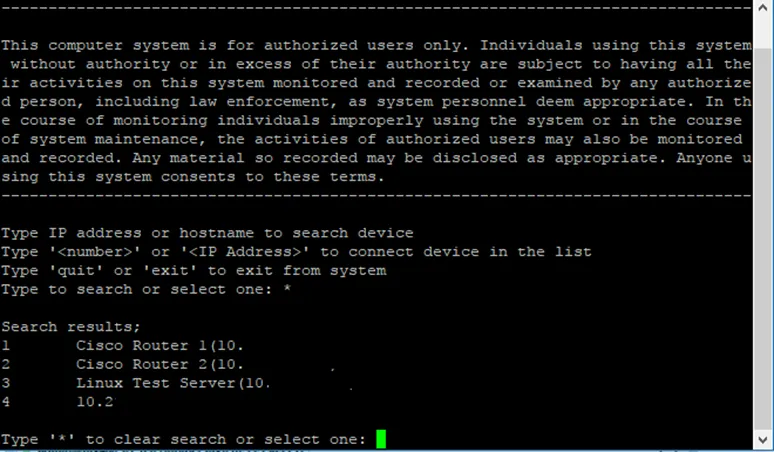
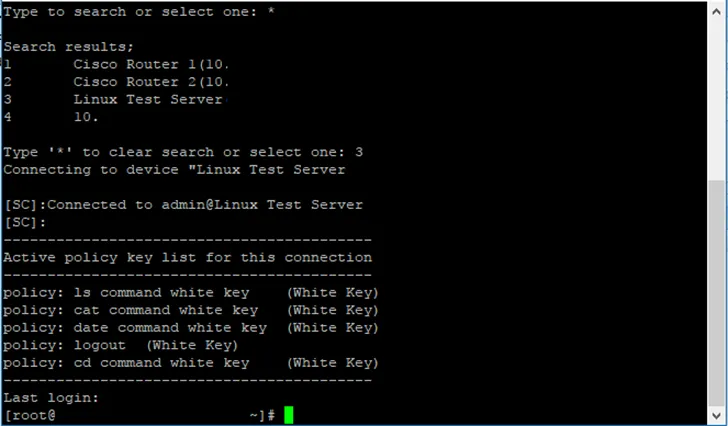
- Upon successful connection, you are directed to the Kron PAM SSH/Telnet Proxy interface. In this interface, you are given a list of devices you can access. Each device on the list has an ID you can use to connect through the Kron PAM Proxy.